
EasyFind on macOS: When Spotlight Fails and Terminal Is Too Much

Spotlight is great — right up until it isn’t
For many macOS users, Spotlight is the main entry point to files, apps, documents, and metadata. It’s fast, integrated, and in most cases “good enough.” But if you work professionally with lots of files, codebases, projects, archives, mounts, and constantly changing directory structures, a familiar problem quickly appears:
Spotlight finds most things instantly — but when it doesn’t, it’s hard to trust and even harder to fine-tune.
That’s exactly where many people end up in Terminal with find, mdfind, grep, or some combination of them. It works, but it’s not always the most efficient path, especially when you just want to locate a file, Quick Look it, and open it in the right app.
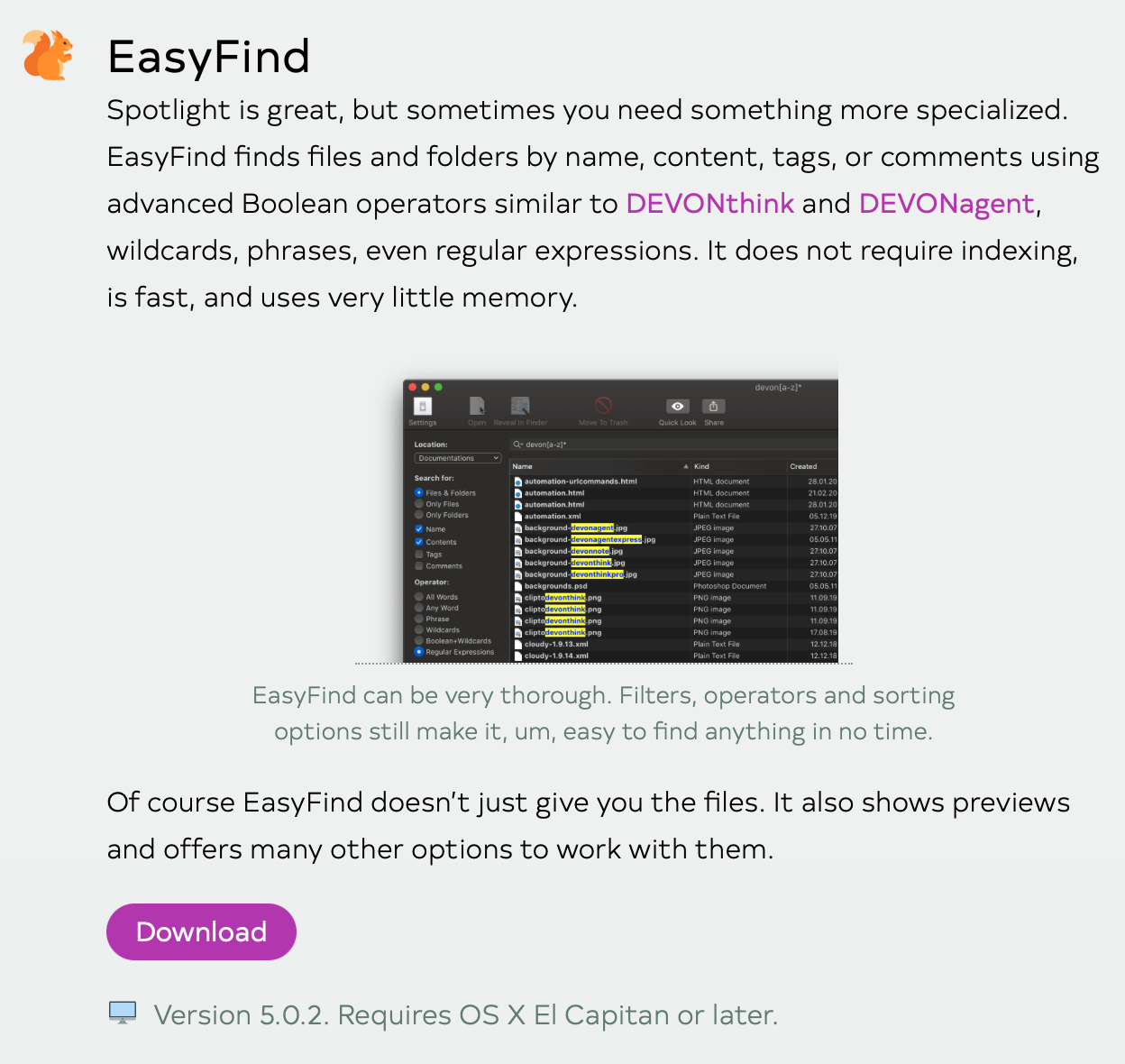
That’s when I came across EasyFind, a free macOS app from the developers behind DEVONthink. The app fills a very specific gap in the toolbox: it gives you direct, non-indexed file search with a graphical interface for the scenarios where Spotlight falls short.
You can easily build search terms and find exactly what you’re looking for:
![danielbahl-2026-03-16-12-03-42-shareshort[5121024]png-EasyFind@2x.png](/static/tech/uploads/2026/03/69b7e517718e8-danielbahl-2026-03-16-12-03-42-shareshort-5121024-png-easyfind-2x.png)
The app is available for free here:
The problem with Spotlight in technical workflows
Spotlight is built to be fast, not necessarily complete in every scenario. Its strength is indexing. Its weakness is indexing too.
Where Spotlight typically works well
Spotlight is strong when:
- the file is already indexed
- the location is in an area Spotlight monitors properly
- metadata is intact
- the filename, content, or attributes match what you expect
For normal office use, that’s enough. In more demanding technical environments, it can come up short.
Where Spotlight typically fails
Experienced users will recognize these situations:
- files on external drives don’t show up as expected
- network volumes are inconsistent or not searchable at all
- recently created or moved files are missing from results
- excluded folders or system areas are ignored
- hidden files and package contents are cumbersome to work with
- development projects with many small files produce unpredictable results
- you know the file exists, but Spotlight returns nothing
The worst part isn’t necessarily that Spotlight fails. The worst part is that the failure is rarely transparent. You don’t always get a clear answer as to why a file wasn’t found, or how to improve the search without messing around with system indexing.
The classic fallback: Terminal with find
When Spotlight lets you down, many technical users go straight to Terminal:
find ~/Projects -iname "*docker*"
Or more targeted:
find /Volumes/Archive -type f -name "*.sql"
Or with error output suppressed:
find / -iname "*invoice*" 2>/dev/null
It’s effective, precise, and fully controllable. But it also has some downsides:
- the syntax isn’t always quick to formulate
- you need to know the search scope in advance
- complex searches get verbose fast
- the output is raw and often needs extra filtering
- it’s less accessible when the task is really just “find that file now”
- you don’t get Quick Look to preview your files easily
Terminal is still indispensable. But there is a legitimate middle ground between Spotlight and find, and that’s exactly where EasyFind makes sense.
What EasyFind is — and why it’s interesting
EasyFind is a free file search app for macOS from DEVONtechnologies. Its most important characteristic is that it does not depend on the Spotlight index. Instead, it scans the file system directly.
That may sound trivial, but it changes the role of the tool completely:
- it can find files Spotlight misses
- it’s useful on disks and locations where indexing doesn’t help
- it gives you more direct control over search criteria
- it’s well suited for ad hoc searches in technical environments
It’s not a replacement for Spotlight. It’s a specialized fallback that, in practice, often becomes the tool you open first when you already know Spotlight is going to be frustrating.
In fact, our drives have become so much faster — especially with the latest M5 generation — that a non-indexed file search, even across my billions of files, takes no more than seconds.
How EasyFind differs from Spotlight
1. No dependency on an index
Spotlight is fast because it reads from an index. EasyFind is robust because it reads directly from the file system.
The consequence is simple:
- Spotlight: faster when the index is correct
- EasyFind: more reliable when the index doesn’t help
2. More explicit search behavior
EasyFind is more transparent in its approach. You choose where to search and what to match. That reduces the “magic” behavior that often makes Spotlight frustrating in failure scenarios.
3. Better for technical edge cases
EasyFind is especially useful for:
- hidden files
- files in system-adjacent or unusual directories
- external volumes
- old project folders
- cache, log, and configuration files
- package contents and deep folder structures
Practical use cases where EasyFind shines
Locating configuration files
If you’re looking for a specific configuration file, such as .env, docker-compose.yml, nginx.conf, or an old plist, Spotlight is often imprecise or blind to hidden files and certain areas.
With EasyFind, you can target the search to relevant directories and quickly inspect results without shell commands.
Searching project archives and external drives
If you have old projects on an external SSD, a NAS mount, or an archive volume, Spotlight isn’t always reliable. EasyFind can scan directly without assuming a healthy index.
Audit and cleanup
If you want to find all:
.logfiles over time- duplicate filenames
- old backup files
- scripts with specific naming patterns
- artifacts from build processes
then EasyFind is a fast visual way to get an overview.
My take
EasyFind doesn’t solve a glamorous problem, but it does solve a real and recurring annoyance in macOS.
For experienced users, its value isn’t that it does something revolutionary. The value is that it provides a fast, reliable middle ground between Spotlight’s convenience and Terminal’s raw power.
Conclusion
Spotlight is still one of the best productivity tools in macOS, and when it works, it’s hard to beat for speed and convenience. But in professional workflows, “8 out of 10 times” isn’t always good enough.
I personally use Alfred, which also builds on top of the .Spotlight-V100 database, so EasyFind is a fantastic alternative that has now replaced my find command in Alfred.
EasyFind can be downloaded for free from DEVONtechnologies:
If you work seriously on macOS, it’s one of those small utilities that can very quickly prove it deserves a place in your folder of essential tools 🖖
/db